What Makes a Display Sunlight Readable?
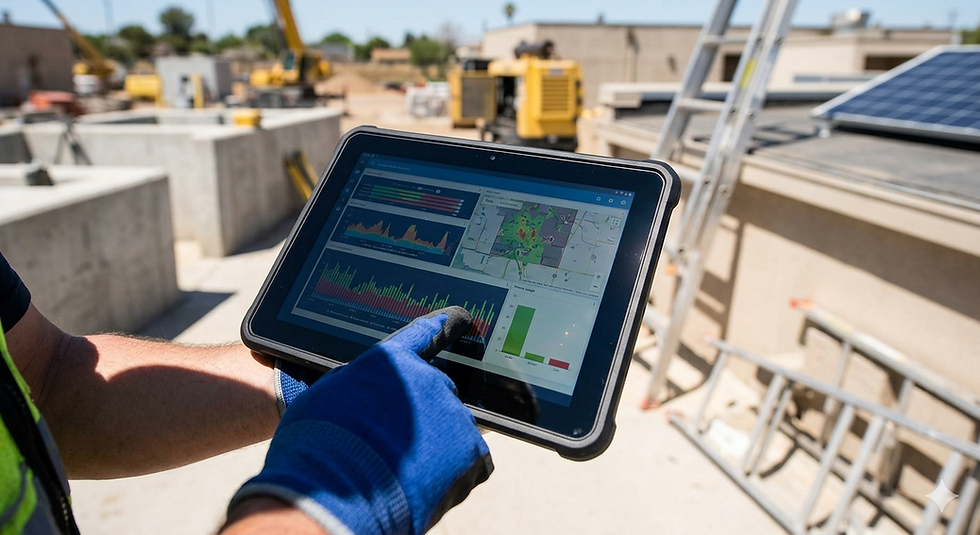
A sunlight-readable display remains clear and usable in bright ambient light because it combines sufficient brightness with low reflection, strong perceived contrast, appropriate optical treatments, and a thermal design that can sustain performance outdoors.
Brightness is important, but a high nit rating alone does not guarantee outdoor visibility. A powerful backlight can still appear washed out when sunlight reflects from the cover glass, touchscreen, or air gaps inside the display assembly.
For OEMs developing outdoor kiosks, transportation systems, industrial equipment, EV chargers, marine electronics, mobile equipment, or field instruments, sunlight readability should be treated as a system-level engineering requirement.
What Is a Sunlight-Readable Display?
A sunlight-readable display is designed to maintain enough contrast for users to distinguish text, graphics, alerts, and controls under strong ambient light.
The important word is contrast.
Users do not see panel brightness as an isolated specification. They see the difference between the display content and the ambient light reflected back from the finished screen.
Sunlight readability therefore depends on several interacting factors:
Display luminance
Surface and internal reflections
Optical bonding
Anti-reflective or anti-glare treatment
Panel contrast and viewing angle
Cover-glass and touchscreen losses
User-interface design
Thermal management
Installation position and viewing geometry
The most effective outdoor display design balances these factors rather than relying on maximum brightness alone.
1. High Brightness Provides the Optical Starting Point
Display luminance is measured in candelas per square meter, commonly called nits. A higher nit value means the display produces more light toward the viewer.
As general engineering starting points:
Viewing environment | Typical starting brightness range |
Controlled indoor environment | 250–400 nits |
Bright indoor or factory environment | 400–700 nits |
Sheltered outdoor or sunlit interior | 700–1,000 nits |
Regular outdoor or direct-sun exposure | 1,000–1,500+ nits |
These ranges are not universal pass-or-fail requirements. A shaded outdoor terminal may need less luminance than a display facing direct afternoon sun. A reflective cover surface may require more brightness without delivering better readability.
OEMs should also clarify where brightness is measured:
At the bare LCD panel
Through the touchscreen
Through the final cover glass
At the outside surface of the completed product
The value measured at the finished viewing surface is usually the most relevant to the user. Touch sensors, adhesives, protective films, and cover glass can reduce the light reaching the viewer.
2. Reflection Control Can Matter as Much as Brightness
Sunlight can reflect from every optical boundary in a display assembly.
In an air-gapped display, light may reflect from:
The outside of the cover glass
The inside of the cover glass
The touchscreen surfaces
The LCD polarizer
Air gaps between layers
These reflected images add unwanted light over the displayed content, making dark areas look lighter and reducing perceived contrast.
This explains why a lower-brightness display with effective reflection control can sometimes be easier to read than a brighter screen with untreated glass and multiple air gaps.
For outdoor applications, engineers should evaluate finished-screen reflectance, not only the panel's backlight specification.
3. Optical Bonding Reduces Internal Reflections
Optical bonding fills the air gap between the LCD and the touchscreen or cover glass with an optically clear adhesive.
Replacing air with an index-matched bonding material reduces the optical discontinuity between layers. This can reduce internal reflections and improve the perceived contrast of the display under bright ambient light.
Optical bonding can also provide additional benefits:
Reduced visual separation between the image and touch surface
Lower risk of condensation forming inside an air gap
Additional mechanical support between display layers
Improved touch and image integration
Optical bonding does not eliminate all reflection. The outer cover surface can still reflect sunlight, and the final result depends on the complete stack, bonding material, cover glass, coatings, and assembly quality.
Bonding also affects repair strategy, manufacturing yield, cost, and material qualification. It should be selected as part of the complete product design.
4. Anti-Reflective and Anti-Glare Treatments Solve Different Problems
The terms anti-reflective and anti-glare are sometimes used interchangeably, but they describe different approaches.
Anti-Reflective Treatment
Anti-reflective, or AR, treatment reduces the amount of light reflected from a surface. This can improve contrast while preserving image sharpness.
AR treatment is often useful when the main problem is a strong mirror-like reflection from the sky, windows, lamps, or the viewer.
Anti-Glare Treatment
Anti-glare, or AG, treatment diffuses reflected light. Instead of seeing a sharp reflection, the user sees a broader, softer area of reflected light.
AG can improve visual comfort, but excessive haze may reduce apparent sharpness or create sparkle over small, high-density pixels.
Anti-Fingerprint Treatment
Anti-fingerprint, or AF, treatment helps reduce visible fingerprints and can improve cleanability. It does not directly create sunlight readability, but fingerprints and residue can increase scattering and reduce clarity on frequently touched screens.
The appropriate surface treatment should be evaluated with the real display resolution, cover glass, lighting angles, and user interface.
5. Ambient Contrast Ratio Is More Meaningful Than Indoor Contrast Alone
LCD datasheets typically specify a contrast ratio measured under controlled conditions. That number does not fully describe how the display will look in direct sunlight.
In bright environments, reflected ambient light raises the apparent black level of the screen. As the dark areas become brighter, the difference between bright and dark content decreases.
This is why outdoor readability depends on the relationship between:
Light produced by the display
Light reflected from the display surface and internal layers
Brightness of the surrounding environment
A sunlight-readable system should be evaluated under representative lighting conditions rather than only in a dark laboratory or office.
6. Panel Technology and Viewing Angle Affect Outdoor Performance
Outdoor equipment is not always viewed directly from the front.
An operator may view a screen while standing, sitting, moving around machinery, or approaching a public terminal from the side. Installation height and screen tilt can also change the effective viewing angle.
IPS TFT technology is frequently selected for industrial and outdoor applications because it typically offers wide viewing angles and stable color performance. Other display technologies may also be appropriate depending on cost, response time, optical requirements, and viewing geometry.
Engineering teams should verify:
Horizontal and vertical viewing angles
Contrast inversion or color shift
Portrait versus landscape orientation
Installation tilt
User height and viewing distance
Visibility while wearing polarized sunglasses
Polarized sunglasses can interact with an LCD polarizer and make the display appear darker or nearly black at certain orientations. This should be tested with the production-intent display stack.
7. Thermal Design Is Essential for High-Brightness Displays
Increasing backlight output increases power consumption and heat.
Outdoor equipment can also experience solar loading. Even when the surrounding air temperature appears acceptable, direct sunlight and a sealed enclosure can raise the display's internal temperature significantly.
Excessive heat can affect:
LCD optical performance
Backlight output and lifetime
Touch-controller stability
Adhesives and bonding materials
Polarizers and films
Processor and power-supply reliability
Enclosure materials
In some LCDs, high panel temperature combined with strong sunlight can contribute to temporary image darkening or optical degradation. The display should be tested in the complete enclosure under realistic solar, power, and airflow conditions.
Possible thermal-design measures include:
Efficient LED backlights
Automatic brightness control
Thermal conduction to the chassis
Ventilation or active cooling
Heat-spreading materials
Solar shielding and enclosure color selection
Backlight derating at high temperature
The goal is not simply to achieve maximum brightness on a laboratory bench. The goal is to sustain readable performance throughout the required operating range.
8. Automatic Brightness Control Improves Day and Night Usability
A display bright enough for direct sunlight may be uncomfortable or unsafe at night.
An ambient-light sensor can allow the system to increase brightness during the day and reduce it in darker environments. This can improve visual comfort, reduce power consumption, limit unnecessary heat, and potentially extend backlight life.
The complete dimming range matters. Transportation, marine, and mobile equipment may require extremely low nighttime luminance as well as strong daytime output.
Engineers should evaluate:
Minimum and maximum luminance
Smoothness of brightness transitions
Sensor position and shading
Dimming response time
User override requirements
Flicker or image instability at low brightness
9. The User Interface Must Be Designed for Outdoor Viewing
Even a well-engineered sunlight-readable LCD can be difficult to use if the interface has poor visual contrast.
Outdoor user interfaces benefit from:
Strong contrast between text and background
Larger text and icons
Clear visual hierarchy
Limited use of subtle gray differences
Avoidance of thin lines and low-contrast details
High-visibility status and warning colors
Simple layouts that can be interpreted quickly
Critical information should not depend entirely on small color differences. UI validation should be performed on the actual display outdoors, not only on a desktop monitor.
10. Touch Performance Must Be Verified in Sun, Water, and Heat
Many sunlight-readable displays include projected capacitive touchscreens.
Outdoor touch performance can be affected by:
Rain and water droplets
Wet fingers
Gloves
Thick cover glass
Electrical noise
Temperature
Grounding and enclosure construction
Surface contamination
Higher touch sensitivity can help compensate for gloves or thicker glass, but it may also increase susceptibility to water or electrical noise. The touch controller should be tuned and tested with the production-intent display, cover glass, enclosure, power supply, and actual operating conditions.
Claims such as “glove compatible” or “water tolerant” should be supported by a defined glove type, water condition, and expected touch behavior.
11. Transflective and Reflective Displays Provide Alternatives
High-brightness transmissive LCDs are not the only option for bright environments.
Transflective LCD
A transflective LCD combines transmitted backlight with reflected ambient light. It can improve daylight performance while still providing illumination in darker conditions. Tradeoffs can include color, contrast, availability, and cost.
Reflective Displays and ePaper
Reflective technologies use ambient light rather than a conventional backlight. They can provide excellent visibility in bright environments with very low power consumption.
Color ePaper such as E Ink Spectra 6 is well suited for static or periodically updated signage, posters, menus, and information boards. It is not a replacement for an LCD when the application requires video, rapid animation, or fast interactive updates.
The correct technology depends on content, refresh rate, lighting, temperature, power, and lifecycle requirements.
Sunlight-Readable Display Design Checklist
Requirement | Questions to answer |
Lighting environment | Is the display shaded, exposed to indirect light, or facing direct sunlight? |
Brightness | Is the requirement measured at the bare LCD or finished cover surface? |
Reflectance | How much ambient light is reflected by the complete optical stack? |
Bonding | Is an air gap acceptable, or is optical bonding required? |
Surface treatment | Is AR, AG, AF, or a combination appropriate? |
Viewing geometry | What are the viewing angle, height, orientation, and user position? |
Temperature | What internal temperature will occur under solar load? |
Power | Can the system support the backlight and cooling requirements? |
Dimming | What daytime and nighttime brightness range is required? |
Touch | Must the screen work with gloves, rain, wet fingers, or cleaning fluid? |
Enclosure | What dust, moisture, impact, and UV protection is required? |
Lifecycle | How long must the display and backlight remain available and supported? |
Where Are Sunlight-Readable Displays Used?
Sunlight-readable displays are commonly considered for:
Industrial equipment and outdoor HMIs
Construction and agricultural machinery
EV charging equipment
Transportation systems
Marine electronics
Outdoor kiosks and terminals
Public information displays
Energy and utility equipment
Portable field instruments
Medical equipment used near windows or outdoors
Aviation and specialized mobile systems
Each application requires a different balance of luminance, reflection control, temperature, touch performance, sealing, and lifecycle support.
Common Sunlight-Readability Mistakes
Selecting a Display Based Only on Nits
A high-brightness specification does not account for reflected sunlight, cover-glass losses, or thermal limitations.
Measuring the Bare LCD Instead of the Finished Assembly
Touchscreens, adhesives, cover glass, films, and surface treatments change the optical result.
Ignoring Solar Heat
A display that performs well indoors may overheat inside a sealed outdoor enclosure.
Treating Optical Bonding as a Complete Outdoor Solution
Bonding can improve contrast and remove the air gap, but it does not establish an IP rating, UV resistance, or product-level environmental qualification.
Skipping Real-World Testing
Outdoor readability changes with time of day, season, viewing angle, screen orientation, weather, and user position.
How IDS Supports Sunlight-Readable Display Integration
Interactive Display Solutions works with OEMs, system integrators, product manufacturers, and engineering teams to develop display solutions for demanding viewing environments.
Depending on the application, an IDS solution can incorporate:
High-brightness TFT LCDs
IPS displays with wide viewing angles
Optical bonding
Custom cover glass
Anti-glare and anti-reflective treatments
Industrial touchscreens
Wide-temperature components
Custom cables and controller boards
Mechanical integration
Reflective or ePaper alternatives
U.S. and Taiwan engineering and manufacturing support
Rather than defining sunlight readability with one specification, IDS can help evaluate the complete optical, mechanical, electrical, environmental, and lifecycle requirements of the finished product.
Need a Display That Remains Readable Outdoors?
A truly sunlight-readable display combines enough luminance with low reflection, strong ambient contrast, suitable optical treatments, reliable thermal performance, and an interface designed for the real viewing environment.
If your team is developing outdoor equipment, transportation electronics, a rugged HMI, an EV charger, a kiosk, or another sun-exposed product, contact Interactive Display Solutions to discuss high-brightness LCD, optical bonding, touch integration, and reflective-display options for your application.
Published by IDS Display - Interactive Display Solutions, Inc.


